Posts

How To Activate Windows 10 Using Batch File

Image
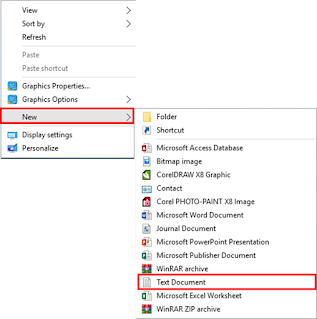
How To Activate Windows 10 Using Batch File If you’re looking for a guide to activate windows 10 without the product key . Congratulations! You’re reached the perfect place where you’ll be provided with the step by step guide for the installation of Windows 10. So, let’s begin with the first step that is; 1. Now, you need to copy that text. ( Copy that Code ) @echo off title Activate Windows 10 for FREE! TechiePaw.com&cls&echo ============================================================================&echo #Project: Activating All Verions of Windows 10 for FREE using CMD (TechiePaw.com)&echo ============================================================================&echo.&echo #Supported products:&echo - Windows 10 Home&echo - Windows 10 Home N&echo - Windows 10 Home Single Language&echo - Windows 10 Home Country Specific&echo - Windows 10 Professional&echo - Windows 10 Professional N&echo - Windows 10 Education...
How To Activate Windows 8 Using Batch File

Image
How To Activate Windows 8 Using Batch File If you’re looking for a guide to activate windows 8 without the product key . Congratulations! You’re reached the perfect place where you’ll be provided with the step by step guide for the installation of Windows 8. So, let’s begin with the first step that is; 1. Now, you need to copy that text. ( Copy that Code ) @echo off title Activate Windows 8 / Windows 8.1 ALL versions for FREE!&cls&echo ============================================================================&echo #Project: Activating Microsoft software products for FREE without software&echo ============================================================================&echo.&echo #Supported products:&echo - Windows 8 Core&echo - Windows 8 Core Single Language&echo - Windows 8 Professional&echo - Windows 8 Professional N&echo - Windows 8 Professional WMC&echo - Windows 8 Enterprise&echo - Windows 8 Enterprise N...

How To Activate Windows 7 Using Batch File

Image
How To Activate Windows 7 Using Batch File If you’re looking for a guide to activate windows 7 without the product key . Congratulations! You’re reached the perfect place where you’ll be provided with the step by step guide for the installation of Windows 7. So, let’s begin with the first step that is; 1. Now, you need to copy that text. ( Copy that Code ) @echo off   title Activate Windows 7 Professional/Enterprise for FREE!&cls&echo ============================================================================&echo #Project: Activating Microsoft software products for FREE without software&echo ============================================================================&echo.&echo #Supported products:&echo – Windows 7 Professional&echo – Windows 7 Professional N&echo – Windows 7 Professional E&echo – Windows 7 Enterprise&echo – Windows 7 Enterprise N&echo – Windows 7 Enterprise E&echo.&echo.&echo ========...

How To Activate Windows 7 Using Windows Loader

Image
How To Activate Windows 7 Ultimate Using Windows Loader Download Windows 7 Loader Make sure to read all the steps carefully to avoid making mistakes otherwise you may fail to get a file. 1. First of all, you need to click on the Download  button located below this guide. 2. When you click on it this will redirect to your download page where you see more information about a tool. Read it if you want to otherwise click on Download Now button which you see there. 3. At this time you will see a new window opened where you find the Mega  it will take some time to load the page and then you will see all the files there. 4. Now from the above menu, you see there is Download as Zipping so just tap on it and Mega will compress your files and then it will automatically start downloading. When asked to choose a location to save your file, save it on your desktop or anywhere you can easily access the file. 👇 That’s it you have now successfully down...

How to use Excel HLOOKUP function

Image
How to use Excel HLOOKUP function HLOOKUP function (MS EXCEL) What is H LOOKUP? HLOOKUP stand for Horizontal Lookup and can be used to retrieve information from a table by searching a row for the matching data and outputting from the corresponding column. While VLOOKUP searches for the value in a column, HLOOKUP searches for the value in a row. Syntax =HLOOKUP(lookup_value,table_array,row_index_num,[range_lookup]) Example. Do the following steps 1st Step Enter your Data in EXCEL WORKSHEET. Example. 2nd Step Enter HLOOKUP function Press enter. And if you want to DRAG this function. Then you can do. But if you have error like that For Example. THIS IS THE PROBLEM OF TABLE ARRAY YOU CAN FIX THE TABLE ARRAY   YOU CAN ALSO DRAG THIS FORMULA.

How to use the Excel VLOOKUP function

Image
How to use VLOOKUP function VLOOKUP function (MS EXCEL) What is VLOOKUP? VLOOKUP is an Excel function to lookup and retrieve data from a specific column in table. VLOOKUP supports approximate and exact matching, and wildcards (*?) for partial matches. The "V" stands for "vertical" , Lookup values must appear in the first column of the table, with lookup columns to the right. Lookup a value in a table by matching on the first column. Syntax =VLOOKUP(lookup_value,table_array,col_index_num,[range_lookup]) Example. Do the following steps 1st Step Enter your Data in EXCEL WORKSHEET. Example. 2nd Step Enter VLOOKUP function Press enter. And if you want to DRAG this function. Then you can do. But if you have error like that For Example. THIS IS THE PROBLEM OF TABLE ARRAY YOU CAN FIX THE TABLE ARRAY   YOU CAN ALSO DRAG THIS FORMULA.

How to use AutoCorrect option

Image
AutoCorrect Options (MS WORD) What is AutoCorrect Options? Some times MS Word change a word with wrong spelling into correct spelling. This features is known as AutoCorrect entry do the following steps. 1st Step Click on file tab. 2nd Step Select options. 3rd Step Select proofing. 4th Step Select AutoCorrect Options Button. 5th Step   Check text as you type. 6th Step Make Your entry. 7th Step Click add Button. 8th step Click ok. If you want see the video of this content